Prepare the community engine
This guide describes the open-source reconstruction. To play Aethus's original without local setup, open the original online and follow its on-screen controls.
For the community engine, start the Windows local data host with your WoW 1.12.1 Data folder, then open Launch community engine. Keep the host running while you play.
The community setup guide covers the Windows package, choosing your files and connecting your browser.
Pick a hero and battleground
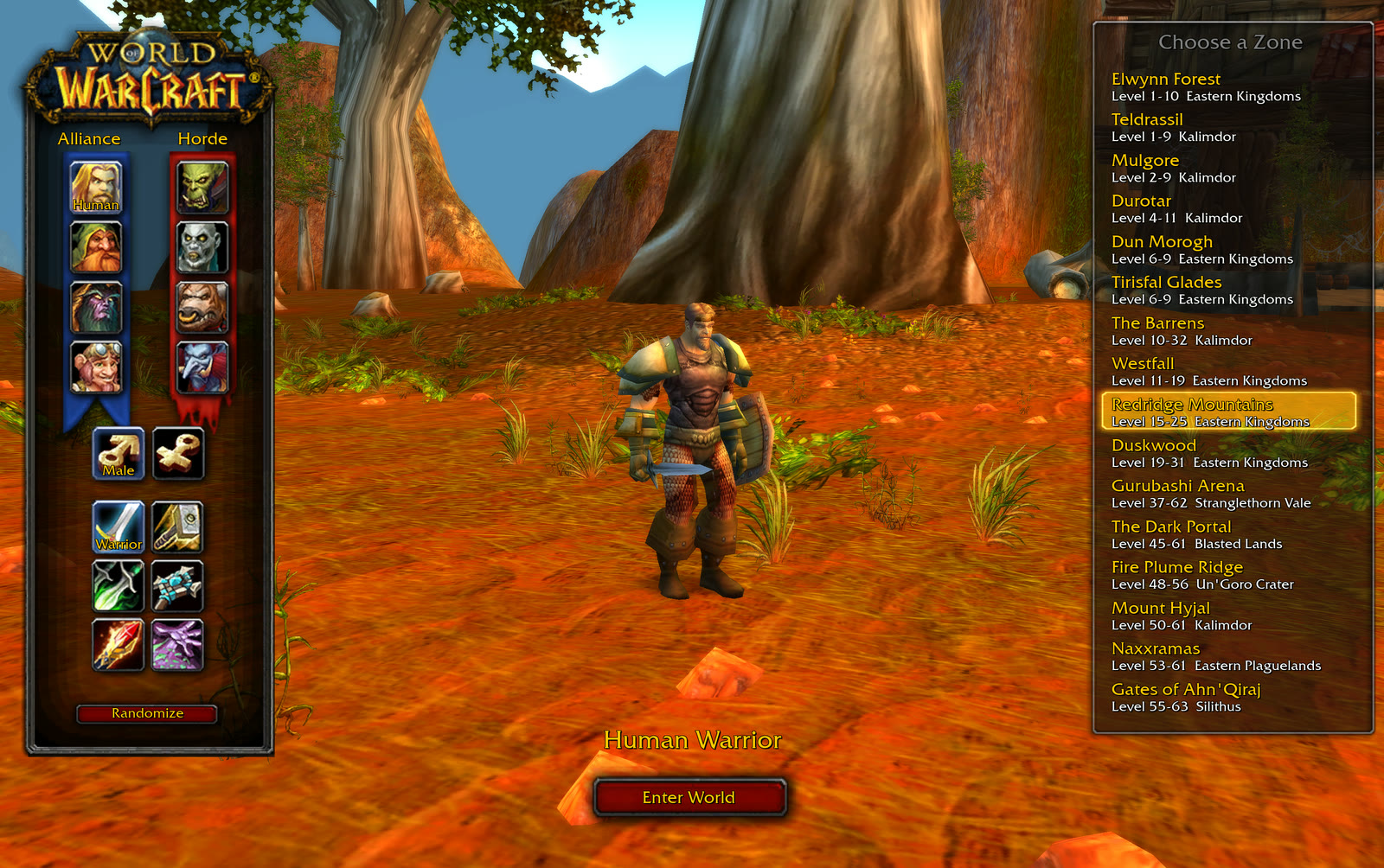
Choose a race, gender, class and zone in the menu. Available classes depend on the race you pick. Randomize can make the selection for you.
Press Enter or select Enter World to start. Your race, gender, class and zone are remembered across reloads in this browser.
Move, survive, level up
Abilities cast automatically. Move your hero around enemies and leave room to escape as the swarm grows. Your character faces the cursor while the camera is locked.
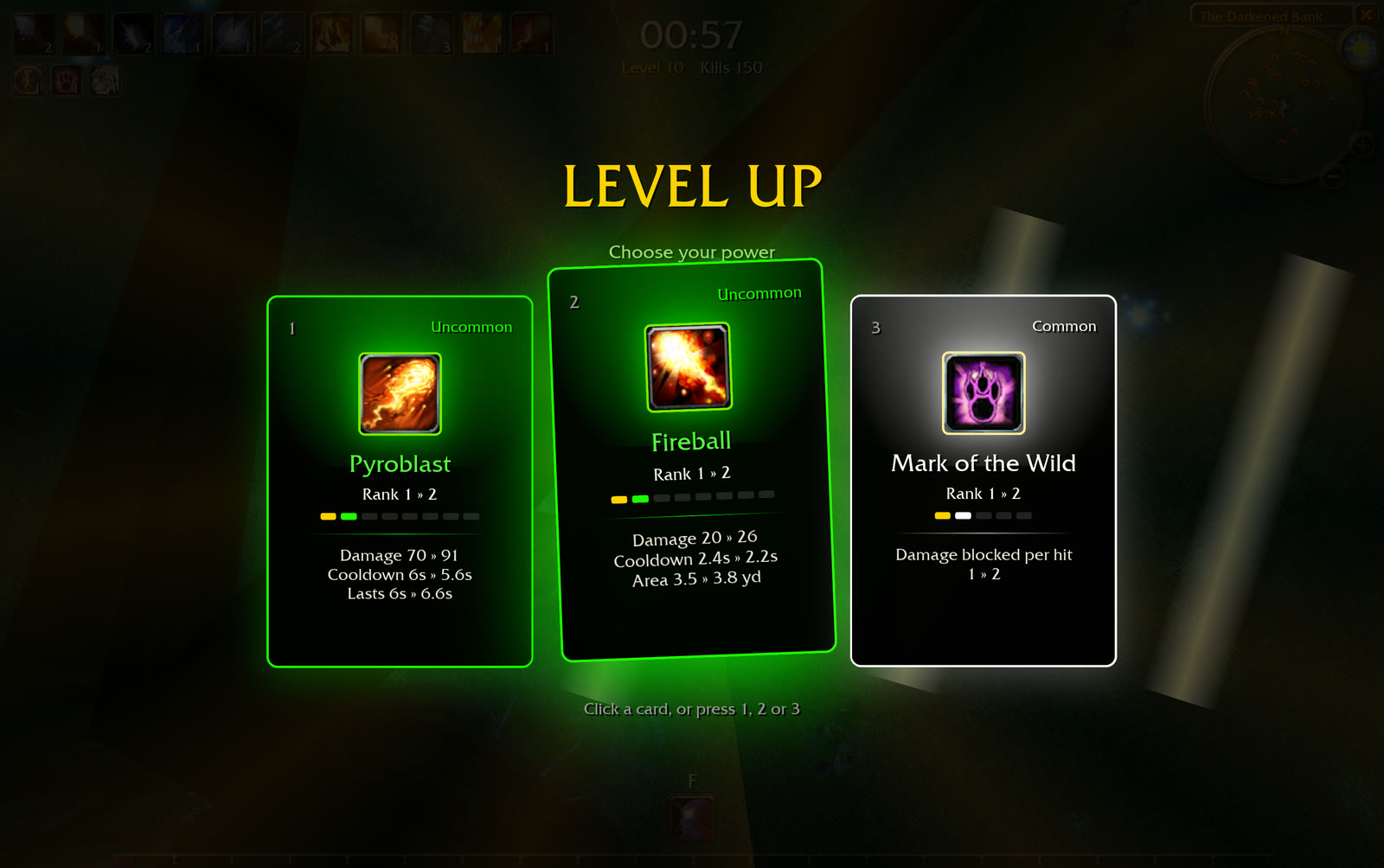
When you level up, choose one of three upgrade cards. A card may add an ability or improve one you already have. Read its displayed changes, then press 1, 2 or 3, or click it.
At level 5, F unlocks your class movement ability. A Mage blinks, a Rogue sprints and a Warrior charges. Check your class for the effect and cooldown.
Keyboard & camera controls
The default camera follows your hero from above. Press C to unlock it, drag to adjust the angle, and use the mouse wheel to zoom. Press C again to return to the locked view.
Build around what you find
Each class has its own starting attack and ability pool. Use the card descriptions to choose between more damage, additional targets, control or protection.
For a Warrior build, the pool includes Cleave, Whirlwind, Thunder Clap and other melee skills. A Mage instead draws from frost, fire and arcane spells. See the full class and ability reference.
Use Esc whenever you need to pause. After a run ends, press Enter or choose Play again to return to the menu.
About this guide
These controls describe the open-source community reconstruction. The Aethus original and similarly named WoW addons can behave differently.
Reference: upstream controls and project README.